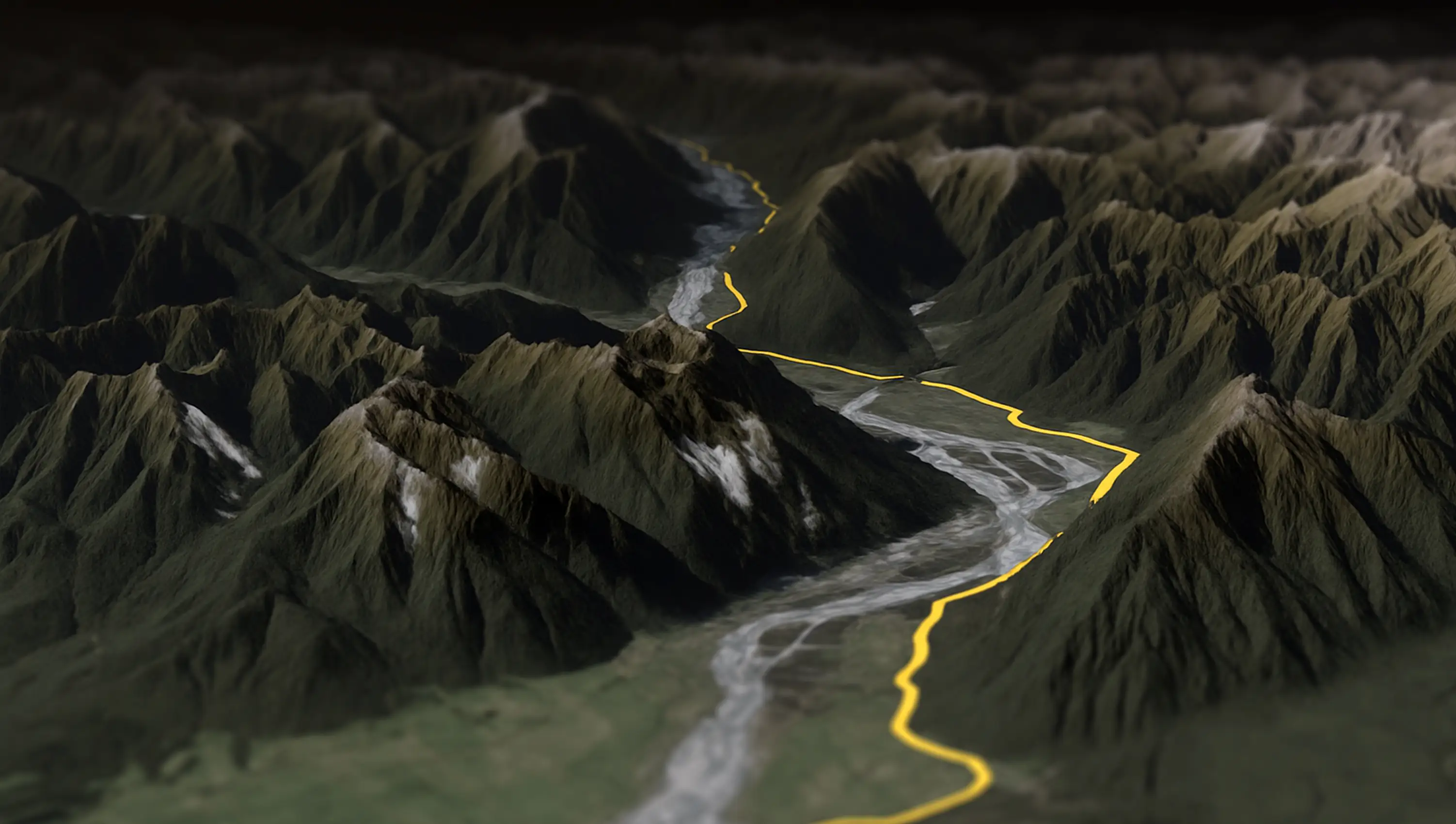
Splügen Pass to Italy 🇮🇹
The Splügen Pass connects Switzerland and Italy, linking Splügen with Chiavenna. At 2,113 meters (6,929 feet), it provides a direct route through the Alps, offering impressive views of the surrounding mountains and valleys.
Every tool on this page reads the file on your device. Nothing is uploaded unless you ask for the 3D preview, and there is no account and no limit on how often you use them.
A KMZ converter, a KML converter and a GPX converter, one page per direction, so each can say exactly what is kept and what is dropped.
Paths become GPX tracks, placemarks become waypoints, elevation is kept. For Google Earth and Garmin..
Unzipped in your browser, nothing uploaded. Paths become GPX tracks, placemarks become waypoints, elevation is kept..
Tracks become paths, waypoints become placemarks, elevation is kept. Opens in Google Earth..
Tracks become paths, waypoints become placemarks, elevation is kept. One small file for Google Earth..
Unzipped in your browser, the KML inside is saved unchanged, styles and folders included. Nothing is uploaded..
The KML is zipped in your browser, unchanged, into one small file Google Earth opens on any device. Nothing is uploaded..
KML in, a zipped shapefile out, for QGIS and ArcGIS.
KMZ in, a zipped shapefile out, for QGIS and ArcGIS.
Drop a zipped shapefile, get a KML for Google Earth.
Open a GPX, KML, KMZ or GeoJSON file online and see what it contains before you send it anywhere.
Open a GPX and see the track, its length and where it starts and ends.
Open a KML or KMZ and see what is inside before you use it elsewhere.
Unzip a KMZ in the browser and see the paths and placemarks it holds.
Open a GeoJSON file and see its features drawn and measured.
Open a Garmin, Wahoo or COROS .fit file, see the ride or run, and download it as GPX.
GPX is the plain XML format GPS devices and sports apps trade files in. It holds tracks (what you recorded), routes (what you plan to follow) and waypoints. Every point has latitude and longitude, and can carry elevation and a timestamp. Garmin, Wahoo, Strava, Komoot, AllTrails and OsmAnd all import it.
KML is Google Earth's file format. Besides lines and points it stores how things look: icons, line colours, folders, pop-up descriptions with HTML, even camera positions for a fly-through. Google Earth, Google My Maps, QGIS and ArcGIS read it. Sports apps mostly don't.
A KMZ is a KML file zipped up, sometimes together with the icons and images it refers to. Google Earth Pro saves as KMZ by default. Rename one to .zip and you'll find a doc.kml inside. Anything that reads KML usually reads KMZ too, but a text editor can't.
The file is opened with JavaScript running in your browser. Parsing, conversion and the download all happen there, which is why the pages work on a train with no signal once they have loaded.
Two things do go to AvoMap's servers. The coordinates of the first and last point are looked up to print place names next to the outline. And if you click Open 3D preview, the route is sent to the editor so it can be drawn on terrain. Skip that button and the route never leaves your device.
The converters rebuild the file from what they parsed, except KMZ to KML, which unzips and hands you the original. Each page has a table of what survives the trip, because the formats do not hold the same things: GPX has timestamps and no styling, KML has styling and, outside of gx:Track, no timestamps.
Explore the full range of AvoMap features in action with these videos, all created using the easy-to-use editor.
The Splügen Pass connects Switzerland and Italy, linking Splügen with Chiavenna. At 2,113 meters (6,929 feet), it provides a direct route through the Alps, offering impressive views of the surrounding mountains and valleys.
Taking a motorcycle trip through the Chilean desert, starting from Combarbala and heading to La Serena on the coast.
With a distance of 101 km and an elevation gain of 6,700 meters, the Eiger Ultra 101 is a tough challenge for even the most seasoned trail runners. The route includes stunning viewpoints such as Grosse Scheidegg, First, Bachalpsee, Berghotel Faulhorn, Schynige Platte, Wengen, Männlichen, and the base of the legendary Eiger North Face.
The Otter Trail is a five-day hiking route in South Africa, starting at Storms River Mouth Rest Camp and finishing at the small resort village of Natures Valley in the de Vasselot section of the park.
The Kepler Track is one of New Zealand's Great Walks, renowned for its stunning natural beauty and varied landscapes. It's a 60-kilometer (37-mile) circular hiking trail located in Fiordland National Park on the South Island of New Zealand. The track typically takes around 3 to 4 days to complete and passes through diverse terrain, including beech forests, alpine meadows, and alongside pristine lakes and rivers.
The Tahoe Rim Trail is a 170-mile long hiking path encircling the Lake Tahoe Basin in the Sierra Nevada, traversing parts of Nevada and California in the United States. It spans elevations from 6,223 feet at Lake Tahoe's outlet to 10,338 feet at Nevada's Relay Peak.
The Grand Raid de la Réunion, known as La diagonale des fous, is an ultramarathon held annually in October on Réunion island, a French overseas department located in the Indian Ocean between Madagascar and Mauritius.
As a break from my usual routine, I decided to embark on an epic journey by motorbike from Frankfurt to Dubai. It took me 62 days to complete the trip, and along the way I crossed through 11 different countries including France, Switzerland, Italy, Greece, Albania, North Macedonia, Bulgaria, Turkey, Georgia, Armenia and Iran.
The Zugspitz Ultratrail stands as Germany's premier trail running event. Drawing over 4400 participants, it features six distinct routes spanning from 16 to 106 kilometers in length.
The San Francisco Marathon is a renowned race featuring a full marathon, half marathon, and 5K. Held in late July, it navigates iconic landmarks like the Golden Gate Bridge and Fisherman's Wharf. The hilly terrain presents a challenge, but the stunning views and community support make it memorable.
Yes, with no file limit and no account. AvoMap charges for exported videos, and that pays for these pages.
All three read GPX. If your route is a KML or KMZ from Google Earth or Google My Maps, use the KML to GPX or KMZ to GPX converter. Going the other way, GPX to KML and GPX to KMZ make files Google Earth opens.
One file per run for now. Drop the next one when the first download has finished.
FIT has its own viewer, which also downloads the file as GPX, and the AvoMap editor imports FIT directly. CSV is on the list. Until then, QGIS handles it.
The four converters people reach most often from Spanish- and Portuguese-speaking countries are published in those languages too.
Upload the track, preview the animation, export an MP4 in up to 4K.
Draw a route or drop a file, then animate it over 3D terrain.
Turn a hike, a ride or a long drive into an animated route video.
Export the GPX from Garmin Connect and fly the whole activity.
What to use for each job once the desktop download goes away.
Routes, camera keyframes, overlays, 3D vehicles and 4K export on one page.